Back to blog
September 5, 20266 min read38 reads
Beatra Activity: A Shared Lofi Room Inside Discord
Beatra Activity is a Discord Activity: open it in a voice channel and everyone lands in the same room — sixteen of them are video now — mixing rain, fire and city sounds under a shared 950-track lofi library.
Beatra has always been the bot you invite to play music. Beatra Activity is something else: a place you walk into. It is a Discord Activity — it opens inside a voice channel, everyone in the call sees the same room, and the sound you build there is built together.
What Beatra Activity is
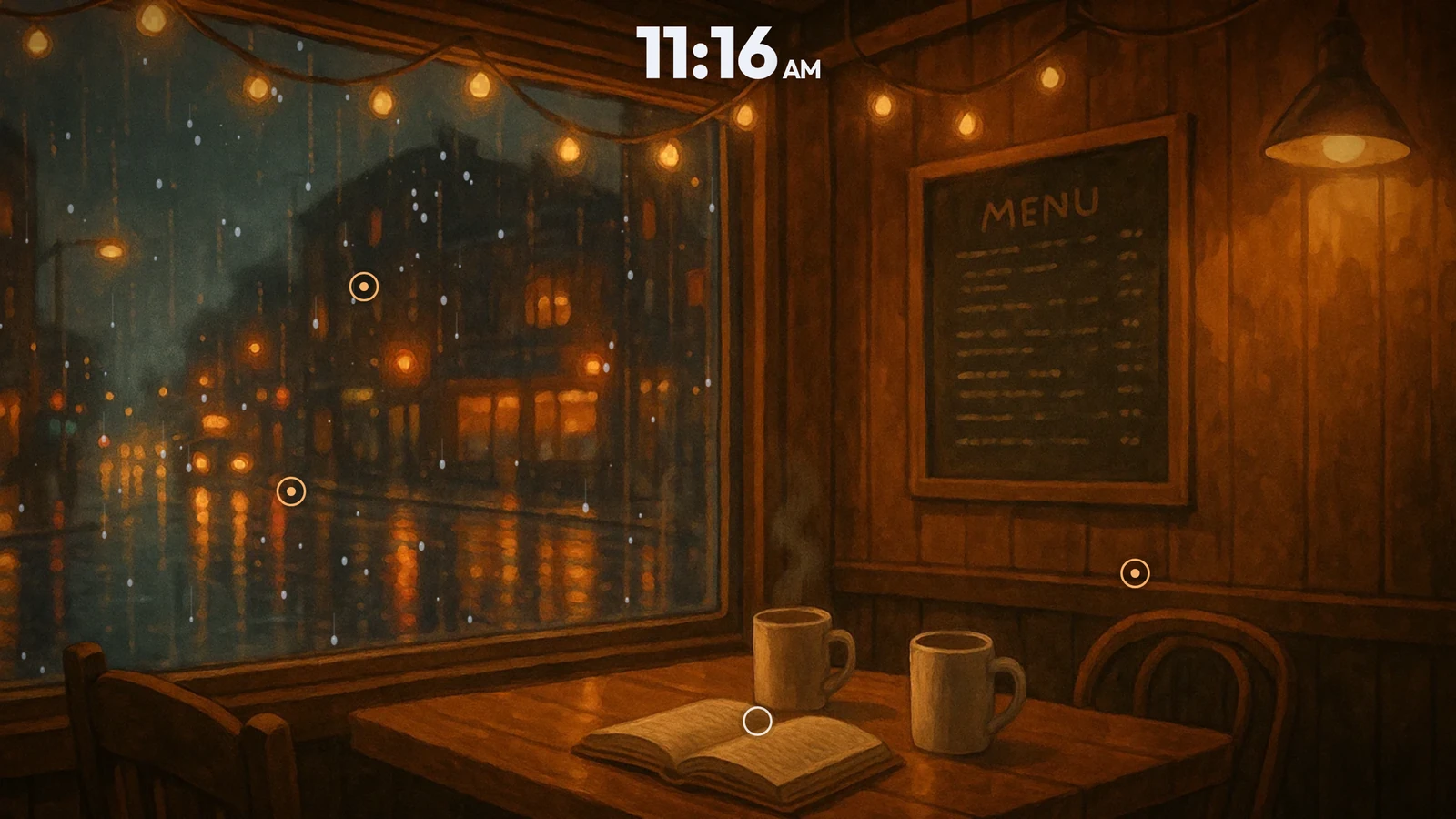
Start it from a voice channel and a room appears: a window, some weather, a lamp, and a lofi track already playing. From there you shape it. Turn the rain up. Let the fire crackle. Push the city down until it is only a hum behind the glass. Everyone in the channel hears the same mix, in the same room, at the same time.
There is nothing to install and nothing to configure. It runs inside Discord, on the same account you already use.
How to open it
- Join a voice channel on a server where Beatra is present.
- Open the Activities launcher — the rocket icon in the voice controls.
- Pick Beatra Activity.
- Press play. Anyone else who joins the channel drops straight into the same room.
Sixteen rooms that move
The rooms are footage now. Rain runs down a greenhouse roof, a fire actually burns, a train slides past a city at night, a cat breathes on a stack of books. Sixteen of them, and they are what opens first.
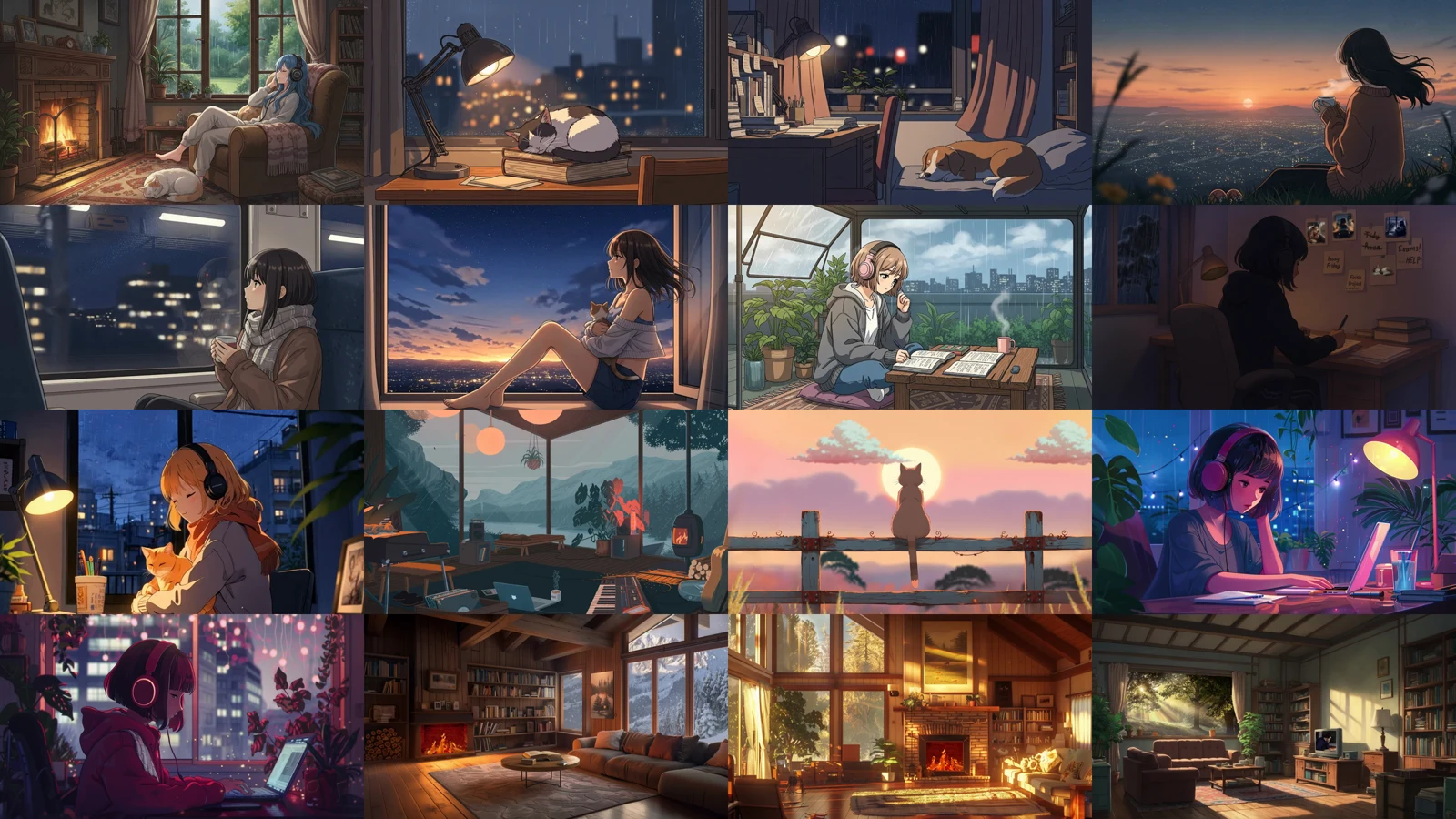
- Fireside — a hearth, an armchair, rain on the garden window
- Rainy Sill — a cat asleep on books, city lights blurred behind the glass
- Late Desk — a lamp, a sleeping dog, the city awake outside
- Hilltop View — a mug, the wind, a valley full of lights
- Night Train — a window seat and a city going by
- Window Ledge — dusk over the rooftops, a cat in your lap
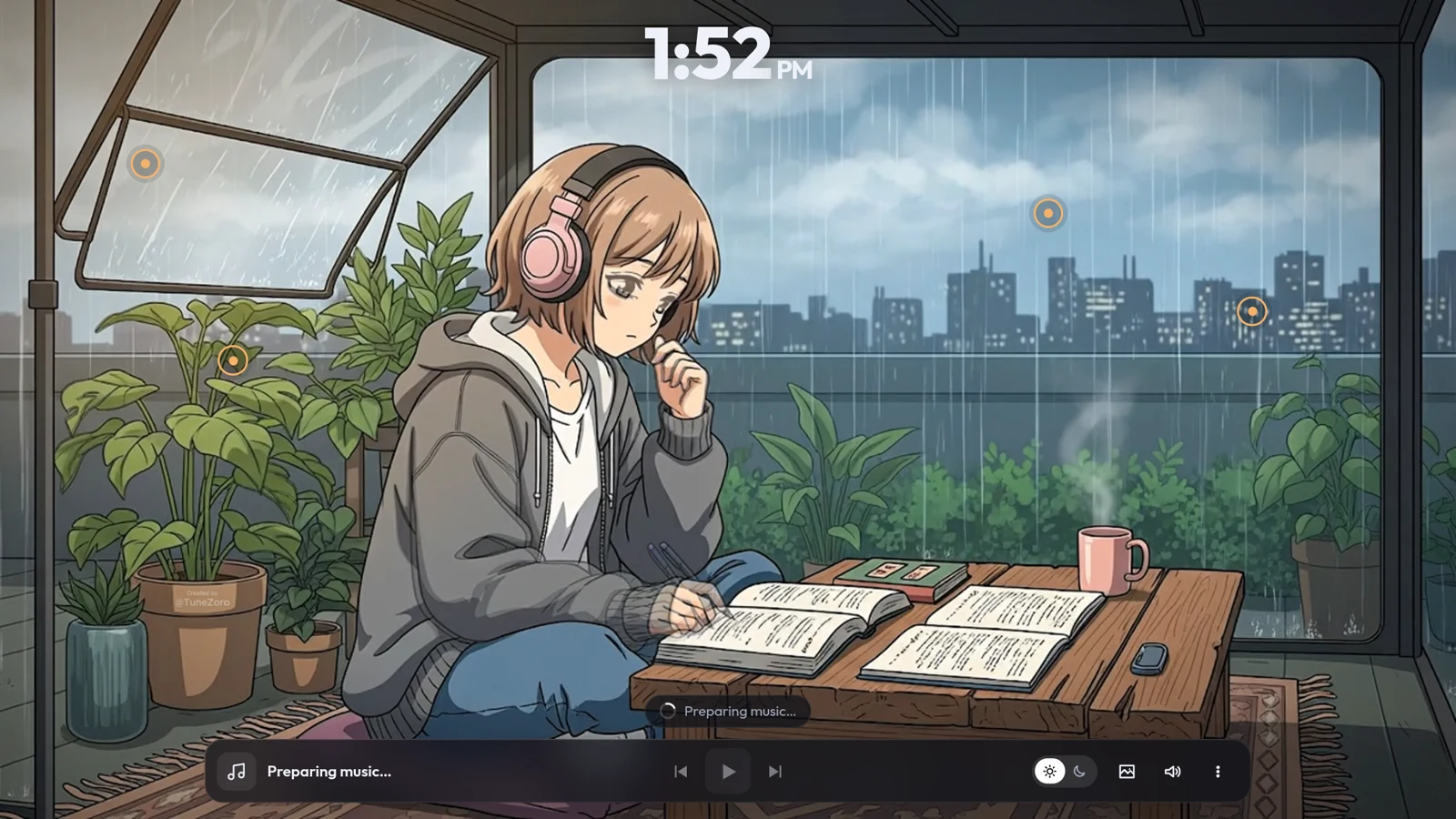
- Greenhouse Rain — reading under glass while it pours
- Study Corner — a pencil, a lamp, thunder outside
- Balcony Night — rain on the rail, a cat, the city humming
- Lakeside Studio — a wood stove, a synth, mountains across the water
- Pier at Dusk — a cat on a fence and the sea going gold
- Night Desk — headphones, a laptop, plants against the skyline
- Neon Rain — the window everyone pictures when they say lofi
- Mountain Lodge — snow outside, a fire inside
- Forest Cabin — sunset through tall windows, a fire going
- Morning Room — sun across the floor and birds in the trees
The nine painted rooms are still here
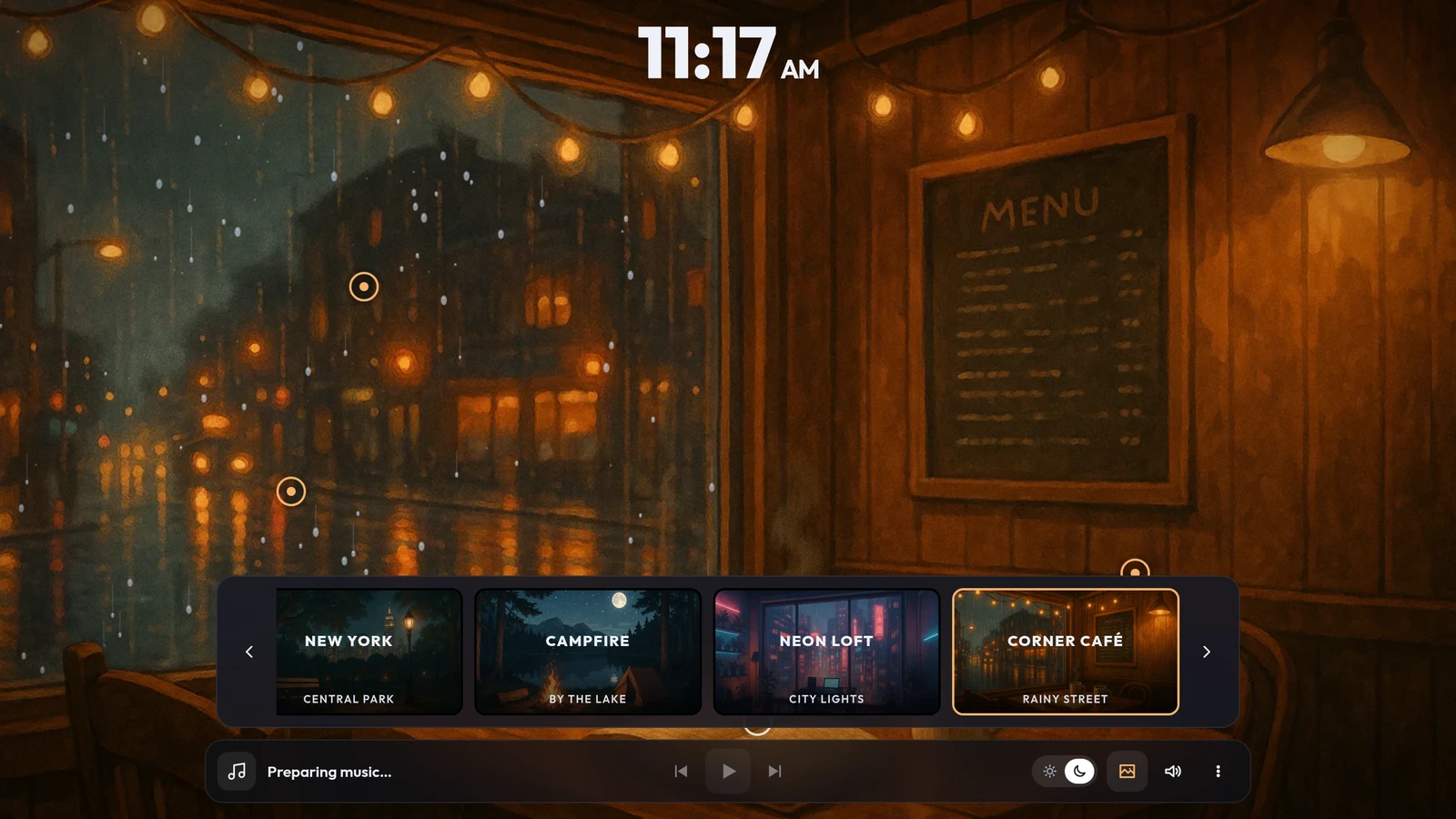
The original hand-painted rooms did not go anywhere. They sit after the video ones in the picker, each still with a daytime and a night version, and still carrying the effects that were built into the artwork itself.
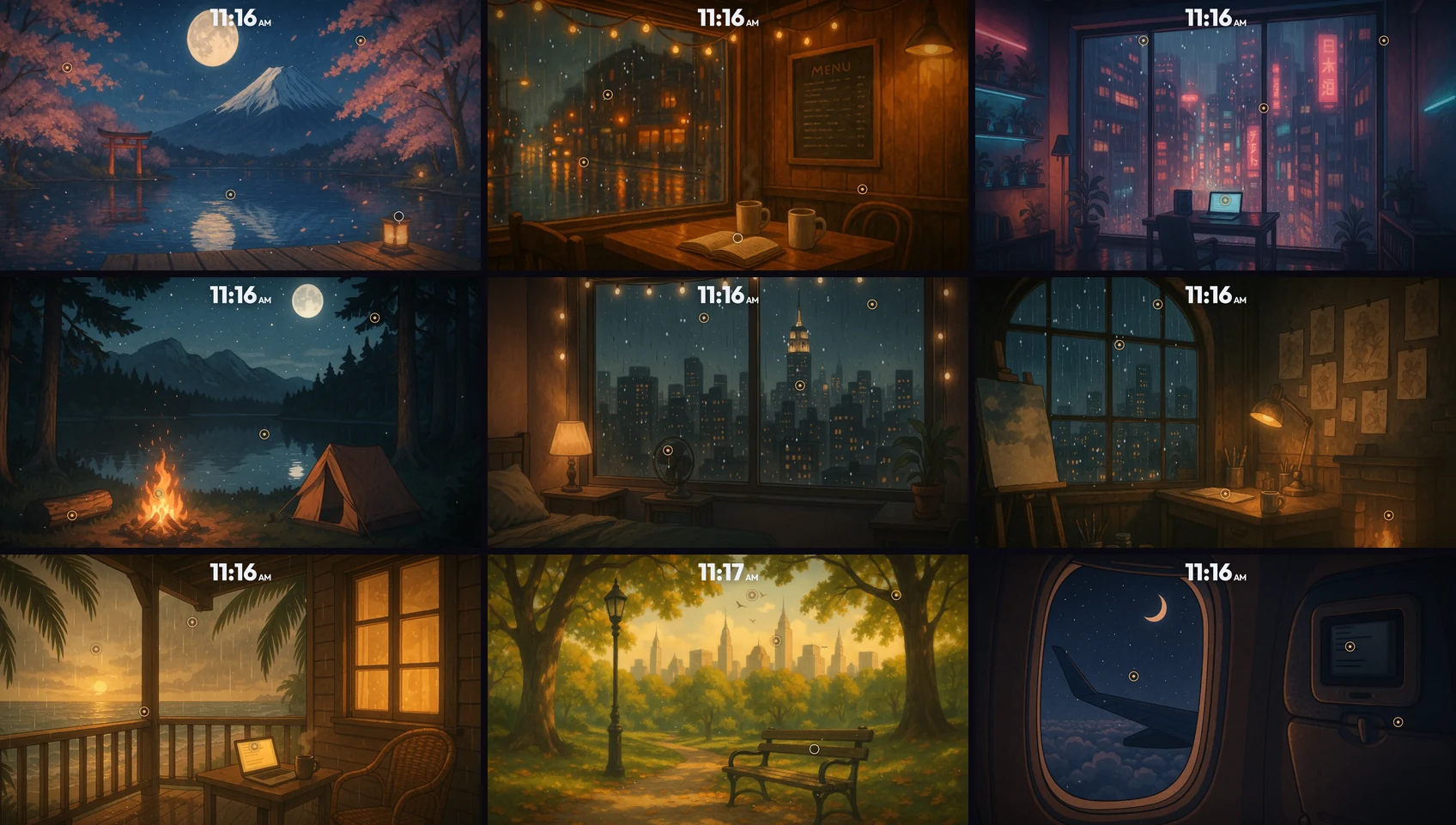
- Honolulu — a porch above the sea
- Fuji — a lake, a torii gate, cherry blossom
- Above the Clouds — the window seat on a night flight
- Art Room — a studio under a tall arched window
- New York · Bedroom — the skyline through rain-streaked glass
- New York · Central Park — a bench under the trees
- Campfire — a tent, a fire, a lake behind it
- Neon Loft — a desk in front of a city that will not stop glowing
- Corner Café — two mugs and a rainy street
The sounds are in the picture
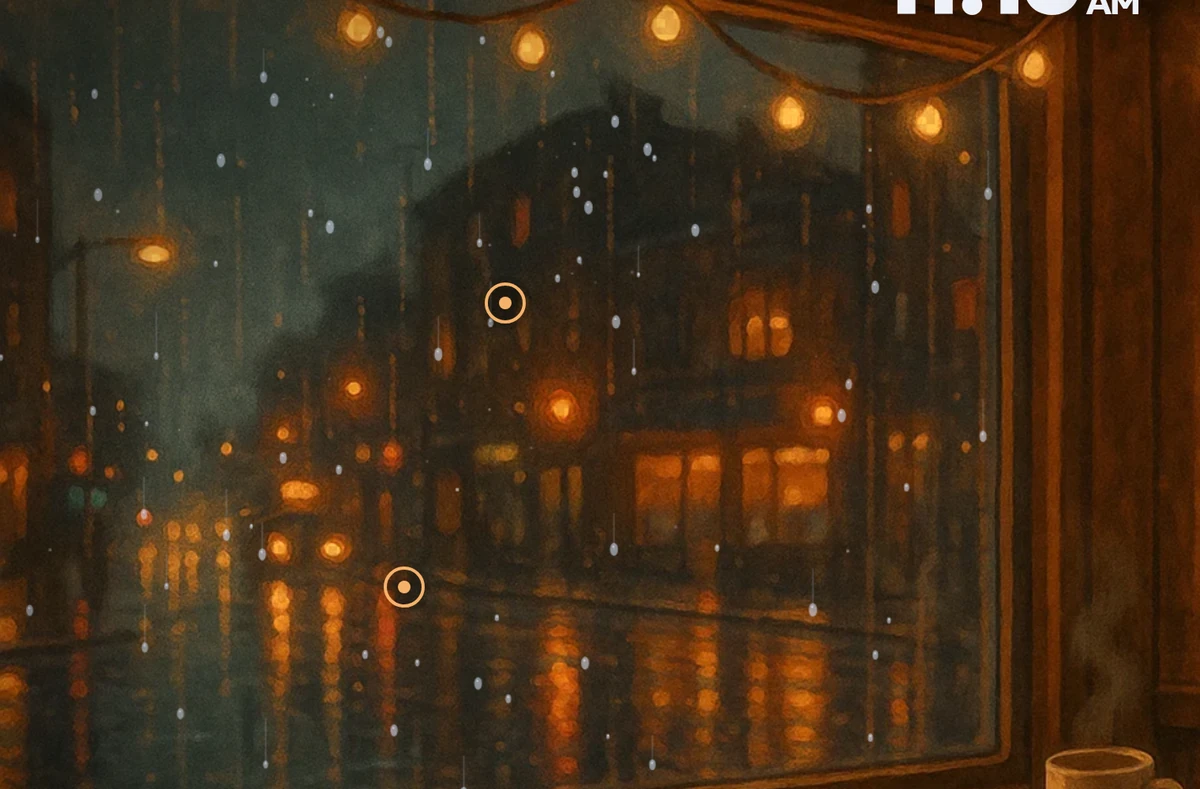
Every room has small rings sitting on the things that make noise: the window, the fire, the fan, the cup. Click one and a slider appears. That is the whole interaction.
The video rooms work exactly the same way. Each one was watched frame by frame and its sounds placed on what is actually in the shot — the ring for the fire sits on the fire, the ring for the clock sits on the clock on the mantelpiece, the rain sits on the window it is falling against.
Eighteen sounds are available in total — rain, ocean, lake, wind, thunder, fireplace, city, keyboard, pencil on paper, birds, crickets, cabin hum, fan, clock, café chatter, and brown, pink and white noise. Each room starts with a handful already balanced for it; the rest are one panel away, so you can put crickets in a café or a fan in a forest if that is what you want to fall asleep to.
Every one of them is a real recording, cut into a seamless loop and levelled so nothing shouts over the music.
One mixer, shared and personal at the same time
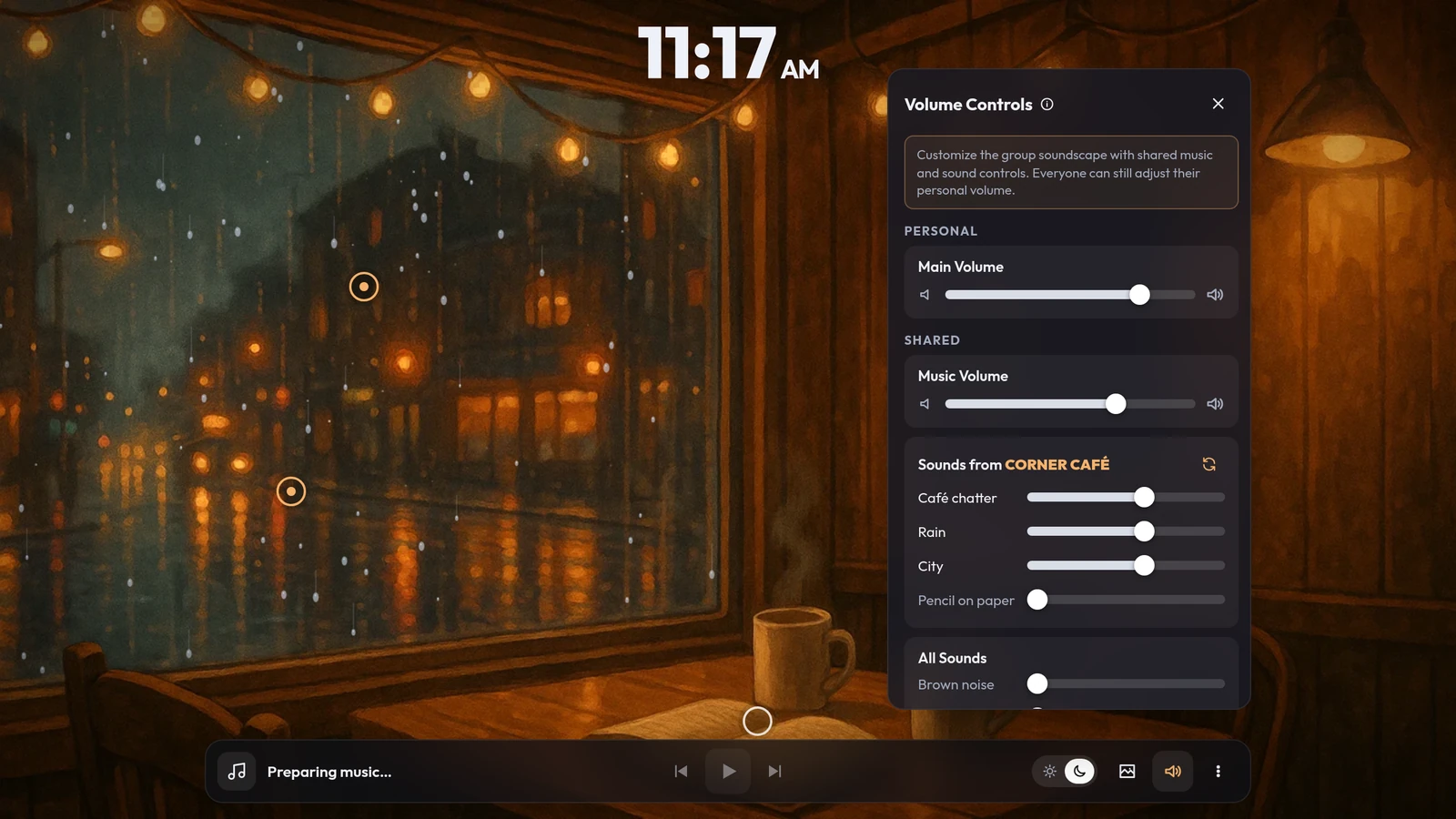
The panel separates two things that are usually confused:
- Main Volume is yours. Turn yourself down without touching anyone else's ears.
- Music Volume and every sound slider are shared. Move one and it moves for everybody in the room — that is the point of listening together.
A reset button next to the room's name puts the sounds back to how they started.
The music
Around 950 tracks play in the background, and the whole library is open: tap the track name and it slides out on the left, searchable, with a cover for every song.
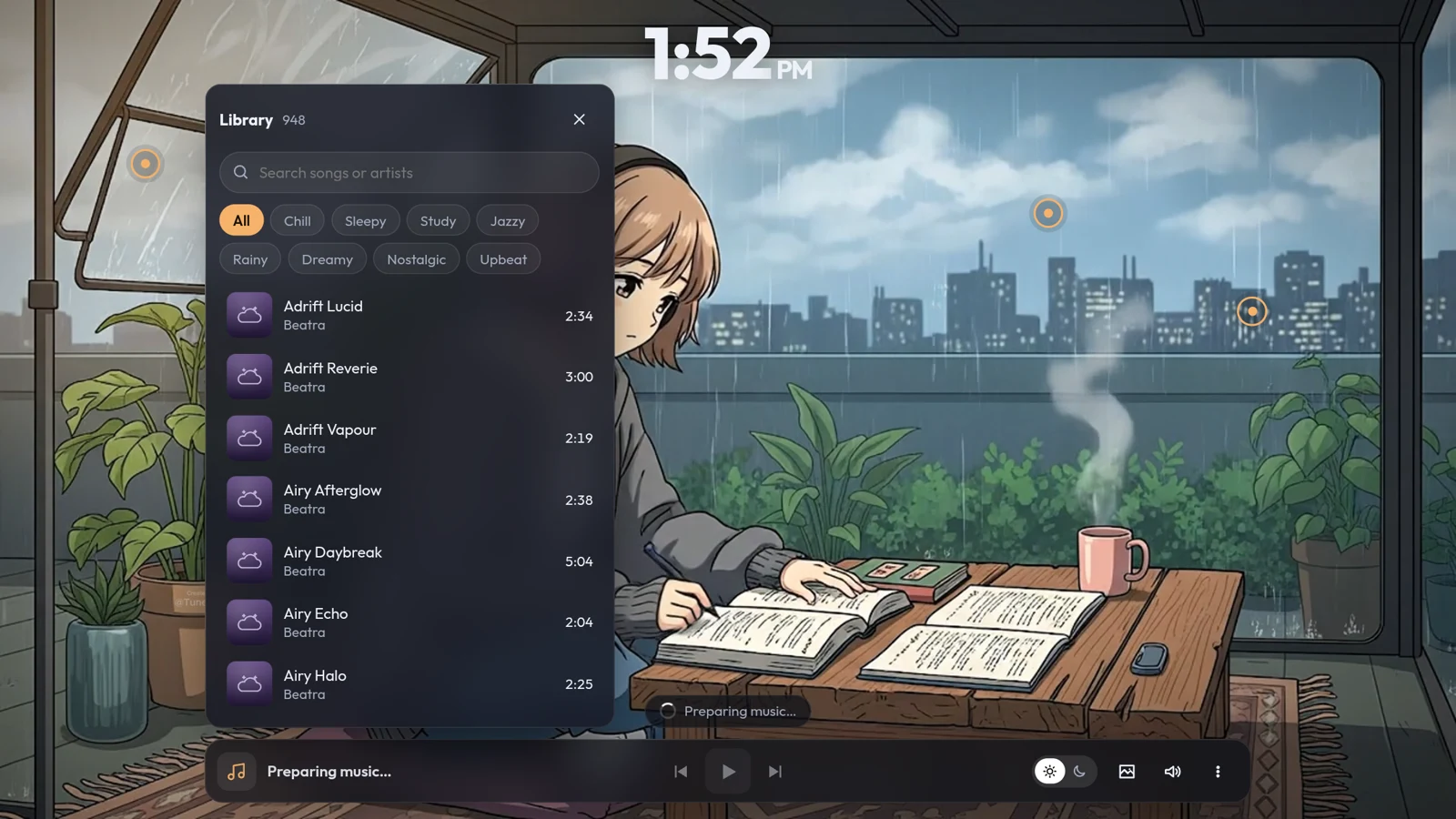
The library is filtered by mood, and there are eight of them — Chill, Sleepy, Study, Jazzy, Rainy, Dreamy, Nostalgic and Upbeat. That is the whole point of lofi: nobody wants "lofi", they want something to fall asleep to, or something to think over, or rain.
Those labels are not guesses. Every track was listened to by an audio model — the same kind used for machine listening research — and anything with singing in it was taken out, because a voice in the room breaks it for everyone. Rain, ambience and tempo then decided which shelf a track belongs on, and where the measurement could not honestly tell two shelves apart, it was left alone rather than allowed to invent an answer.
Skip forward if a track is not right; the queue is shared, so the skip lands for everyone. Picking a mood changes what plays next — it never cuts off what the room is listening to.
The rooms react to what you turn on
This is the part that is easier to see than to describe. The weather is not a layer floating over the artwork — it is applied to the painting itself, and only where it belongs.
Turn the rain up in the café and drops gather on the glass, magnify the street behind them, and slide down leaving a wet trail. The wooden wall next to the window stays dry.
Turn the lake up at the campfire and the water moves — and only the water. The reflection of the moon breaks up and reassembles; the tent and the trees in front of it are untouched.

Every region in every picture — the water, the sky, the glass, each screen — was traced from the artwork itself, so an effect physically cannot spill onto something it does not belong to. Rain never falls on a wall. Ripples never climb a mountain. A bird flying past the canopy in Central Park slides behind the leaves instead of blinking out of existence.
The screens are their own small detail: turn the keyboard sound on and lines of text appear on the laptop, following the exact angle the screen is drawn at.

Built for listening together
The room is shared state, not a broadcast. Whoever changes the scene, the time of day, the mood or a sound changes it for everyone; a listener count sits at the top of the screen, and the menu has an Invite friends button that opens Discord's own invite dialog.
Beatra Activity speaks 30 languages and picks yours from your Discord client automatically.
There is a 24/7 stream too
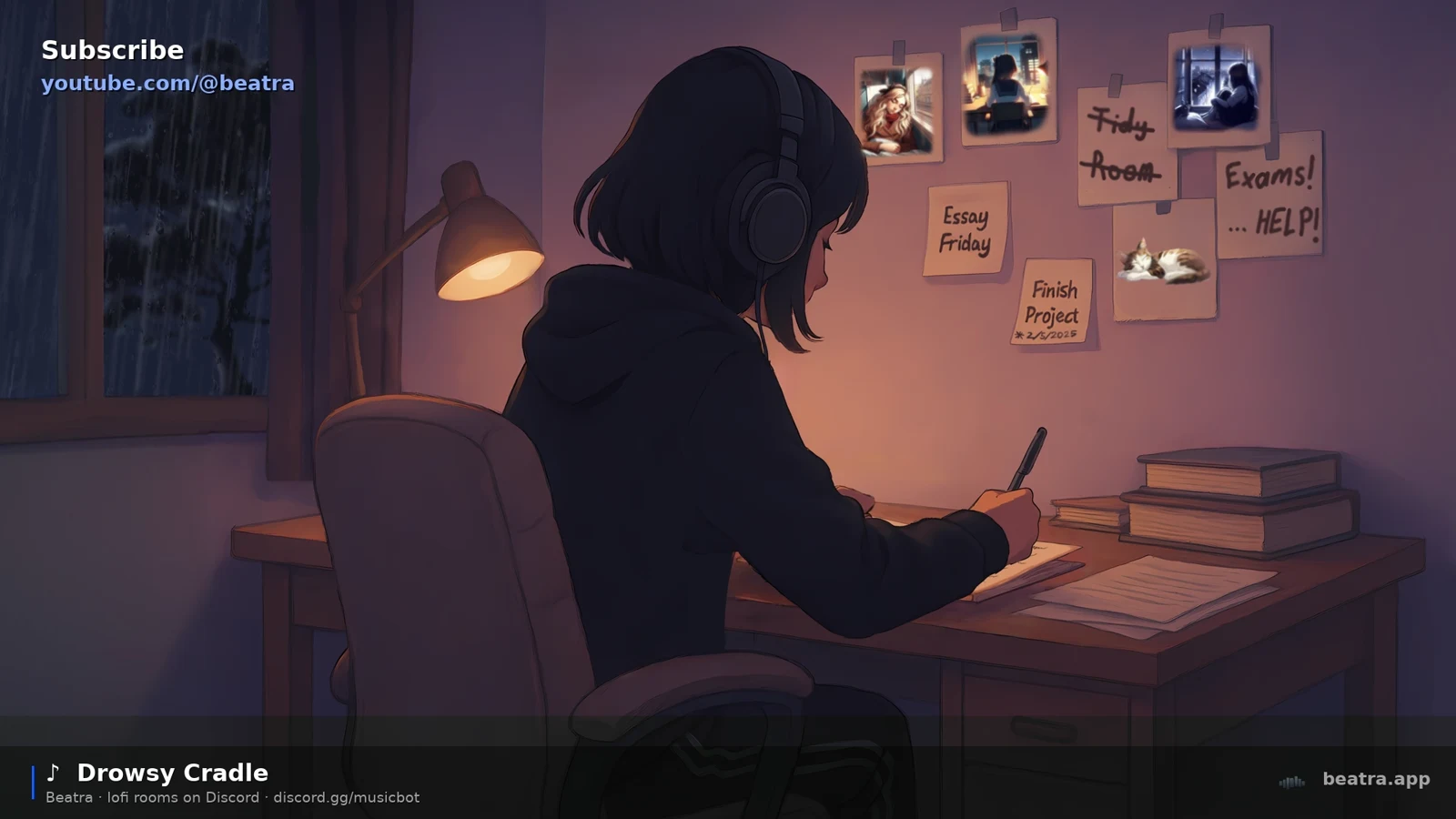
The same rooms and the same library run around the clock on YouTube, for when you want the sound without opening Discord at all. Same footage, same soundscape underneath, a track name in the corner.
Try it
Open a voice channel on a server with Beatra, hit the rocket icon, and pick Beatra Activity. If Beatra is not on your server yet, add it to your server — the activity comes with it, at no cost.
You can also open it straight from Discord's own activity page: Beatra Activity.
Bring someone. It is better with the lights down and another person in the channel.